

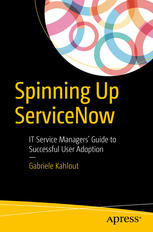
Spinning Up ServiceNow IT Service Managers’ Guide to Successful User Adoption 1st Edition by Gabriele Kahlout 1484225714 9781484225714


Original price was: $50.00.$25.00Current price is: $25.00.
Spinning Up ServiceNow: IT Service Managers’ Guide to Successful User Adoption 1st Edition by Gabriele Kahlout – Ebook PDF Instant Download/Delivery: 1484225714, 9781484225714
Full download Spinning Up ServiceNow: IT Service Managers’ Guide to Successful User Adoption 1st Edition after payment
Product details:
ISBN 10: 1484225714
ISBN 13: 9781484225714
Author: Gabriele Kahlout
Learn how to onboard ServiceNow ITSM tools by evangelizing, educating, and coordinating your organization’s service desk, developers, and stakeholders. Drawing on his own story of lessons learned in spinning up the adoption of ServiceNow throughout the Al Jazeera Media Network, application architect Gabriele Kahlout shows IT service managers how to launch automated ServiceNow ticketing tools in seamless integration with their organization’s existing email and Active Directory. Spinning Up ServiceNow: IT Service Managers’ Guide to Successful User Adoption shows you how to orchestrate your IT service desks and developers to facilitate the adoption and consumption of IT services by all users, supporting their various business needs while optimizing human-computer interaction and minimizing stress and productivity loss arising from poor human-system design. What You’ll Learn Quick-start ServiceNow in a matter of days with the minimum configuration required to start processing tickets via email Avoid the teething problems that can spoil your users’ onboarding experience with ServiceNow Automate the process of scaling up new teams into ServiceNow Shape your users’ experiences so that they retain their familiar bearings in email and Active Directory while welcoming the power of ServiceNow enhancements Create a strategy to avoid common pitfalls that sabotage ITSM programs Who This Book Is For IT managers charged with implementing ServiceNow ITSM suites in their organizations and business analysts determining the requirements for such implementation. The secondary readership is system administrators and developers involved in ITSM.
Spinning Up ServiceNow: IT Service Managers’ Guide to Successful User Adoption 1st Table of contents:
Chapter 1: Pragmatic or Tragic ITSM
The typical failure story
Act I: New CIO
Act II: Invasion of ITSM consultants
Act III: Incident, Problem, Change,…Stop
Act 4: Disillusionment
Act 5: Death
Common traps
1. Tools mindset
2. Requirements greed
Like-for-like requirements
Quick wins
3. Management power illusion
4. ITIL foundation
Customer satisfaction definition
5. Practical friction
Email integration
Ease of access
Tweet-ready take aways
Chapter 2: Innovators’ ITSM strategy
Overview
Step 1: Pick your customers
Examples
Step 2: Set expectations
Initial scope
Users
Processes
Baseline
Goals
Step 3: Minimal setup
Step 4: Go live quickly
Milestones
Step 5: Refine and emerge
Tweet-ready takeaways
Chapter 3: User access
LDAP integration
How it works
Unique ID
Security
Temporary accounts
Performance
Availability
Groups sync
Location OUs
Single Sign-On
Access levels
Basic access levels
Managing licenses
LDAP and licenses
Bucket groups
Routine scripts
Vendors access
Chapter 4: Email support
Email address
Creation options
Option 1: Forward emails
Option 2: Redirect emails
Option 3: Drag and drop emails
Option 4: Manually log tickets in ServiceNow
Replies and duplicates
Reply chains
Reply duplicates
Missed replies
Thank you issue
Internal replies
Filter out spam
Tweet-ready take aways
Chapter 5: Elegant Notifications
Robotic content
Customer-facing notifications
1. Incident opened receipt
2. Incident comments updated
3. Action required
4. Incident resolved
5. Incident closed
Subject lines
Duplicates
Reply all
Internal notifications
1. New unassigned incident
2. Incident assigned to group
3. Incident assigned to person
4. Incident updated
Spam notifications
Tweet-ready takeaways
Chapter 6: Request portal
Planning the portal
User journey
Front-end examples
Al Jazeera’s portal
CERN Service Portal
Harvard University IT services
UC Davis portal
Volkswagen iServe
Integration options
Handling approvals
Duplicate approvals
Bypass or modify approval
Detailed approval requests
Collaborating on requests
Tweet-ready takeaways
Chapter 7: Reporting
Actionable threshold monitors
ITSM records
Measuring user adoption
Management reports
Customer satisfaction
Misleading data
Operational efficiency
Standard dynamic reports
Report on all tickets
Tweet-ready takeaways
Chapter 8: Customization Process
Customization vs. configuration
Why companies customize
1. Workflow automation
2. Convenience and cosmetic customizations
3. Access control
Customization process
Requirements backlog
Prioritization
Chargeback
IKEA effect
Development and testing
Consistent standards
1. Minimize the number of buttons on forms
2. Human message with every email
3. Limit team-specific customizations
4. Transparent behavior
Development instance
Testing and monitoring
Release and deployment
Tweet-ready takeaways
Chapter 9: Confidentiality
Scope of data protection
Ticket data
Protection from ServiceNow
Domain separation
Examples
Access on a need-to-know basis
Variations
Sister teams
Confidential checkbox
Confidential scenarios
Personal ERP issue
Information security work
Confidential vs. Out-of-box
Arguments against confidentiality
“It’s unnatural and complicates things”
“Confidentiality discourages collaboration”
“It’s still possible to have a data breach”
“When reassigning to another team, they can see all previous conversations”
Tweet-ready takeaways
Chapter 10: Fluid collaboration
Back story
User vs. internal communication
Internal attachments
ServiceNow Connect
Replacing email with ServiceNow Connect
Addressing Connect limitations
Following a ticket
Replies to Connect email notifications
Groups and outsiders participation
Other options
Internal emails
Copied in the CC
Groups watchlists
Tweet-ready takeaways
Chapter 11: Examples
Search in ServiceNow
1. Contains search by default
2. Personalized global search
3. Color-coded ticket numbers
4. Look up callers by staff ID
Contextual help, dates and usability
5. Info messages with hyperlink
6. International date format
7. Rounded-up time fields
8. Outlook global changes calendar
9. Read-only open details
10. Related records header
Ticket state, priority and SLA
11. Buttons to change ticket state
12. Un-hold tickets automatically
13. Close on-hold tickets
14. Replies to closed tickets
15. Re-opened incidents
16. Priority and SLA setting
17. SLA reminders gauge
Assignment, participation and hand-over notes
18. Assignment based on email address or location
19. Assignment based on Configuration item
20. Discard unregistered emails
21. Re-assignment pop-up
22. Closing unassigned tickets
23. Track participation
24. Assignment group based on Assigned to
25. Parent assignment groups
26. User communication and internal tabs
26. Vendor ticket number
Users and LDAP settings
27. Primary group
28. Functional accounts
29. Email required for sync
30. Unique user attributes
31. Location in tickets
32. Delete role
33. Access to add vendors
34. User details in preview window
Request fulfillment
35. Request form and communication
36. Request tickets descriptions
37. Wait for new ad-hoc Task
38. Log to-do Tasks
39. Reminder Task for return dates
40. No going back on approved
41. Consistent workflows
42. Cannot reopen requests
People also search for Spinning Up ServiceNow: IT Service Managers’ Guide to Successful User Adoption 1st:
addquery servicenow example
spinning process
spinning procedure
spinning examples
servicenow spinner
Tags: Spinning Up, ServiceNow, Service Managers, User Adoption, Gabriele Kahlout
You may also like…
Business & Economics

Business & Economics - Management & Leadership
Computers - Programming

Computers - Computer Science

Reference - Writing


Business & Economics
The Global Managers Guide to Cultural Literacy 1st Edition Christine Uber Grosse

Computers - Information Systems
Information Systems for Managers: With Cases, Edition 4.0 Gabriele Piccoli